How to Automate Invoice Data Extraction with AI in 2026
A practical guide to automating invoice data extraction with AI in 2026, from field selection to validation and human review.
Ståle Zerener
Co-founder & CEO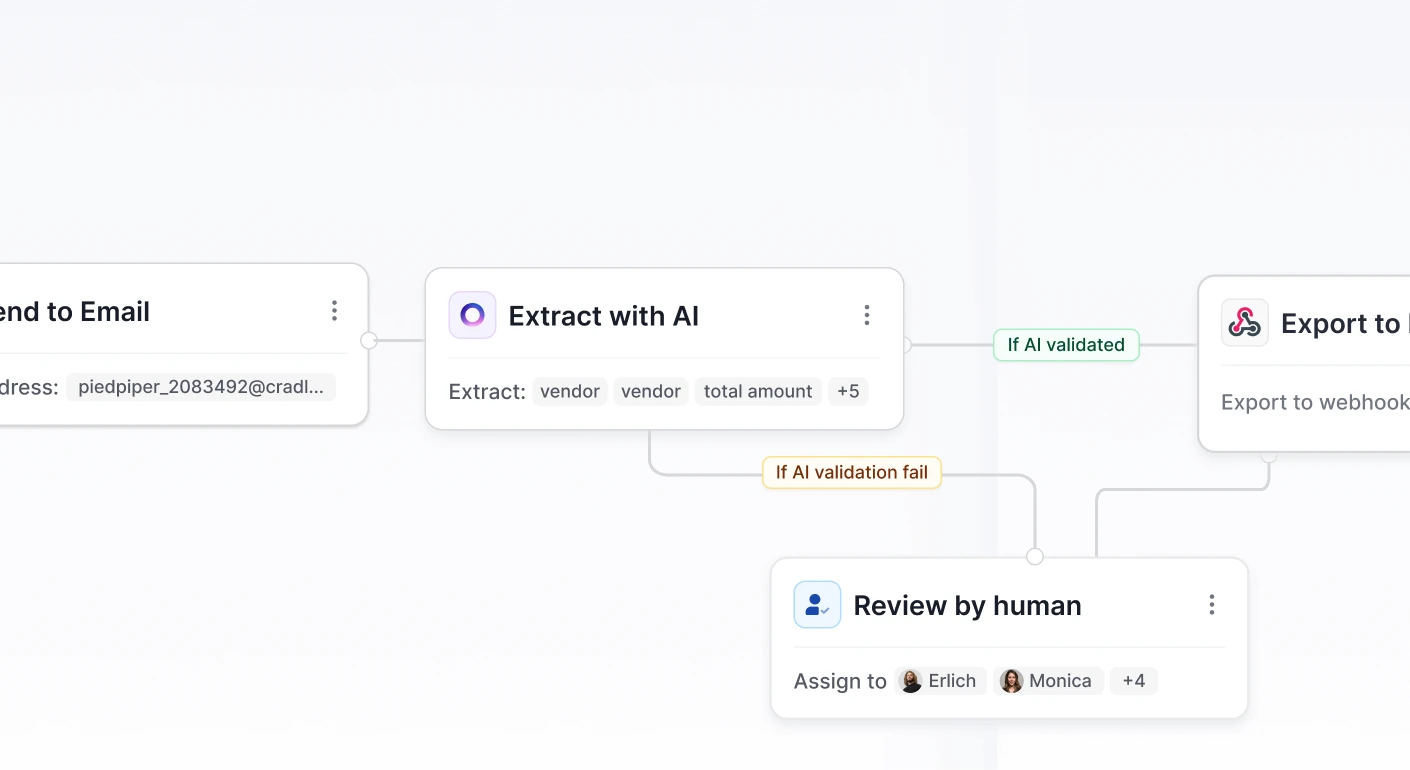
In this article, we look at how AI is used to automate invoice processing in a typical accounts-payable process.
With over 10 years of experience as a machine learning engineer working on document processing systems, invoice processing remains a very popular use case.
In this post, I’ll summarize what I’ve seen work and what consistently fails when using AI for invoice processing across both startups and Fortune 500 companies.
If you’re not looking for the broader context and just want to see how this is implemented in specific platforms, check out the links below:
- Cradl AI invoice OCR AI
- How to Extract Data from Invoices in Power Automate
- How to Extract Data From Invoices in n8n
- The 2026 Guide to Document Data Extraction Using AI
- How to Extract Data from PDFs in Power Automate
- How to Extract PDF tables to Excel
- How to Convert PDFs to JSON using AI
The case for AI-powered invoice processing
It may sound surprising today, but it wasn’t that long ago that many teams needed convincing that AI could reliably process invoices. Even now, some organizations remain skeptical.
Without going too deep into it, the key benefits are pretty obvious:
- Higher accuracy, fewer errors. Manual mistakes are expensive—especially when they propagate through accounting and reporting systems.
- Easier to maintain (when built correctly). Modern AI workflows can be updated and improved without rebuilding everything from scratch.
- Less time spent overall. Compared to legacy systems and manual workflows, enterprises often reduce processing time by 80% or more.
1. Design your process around AI
In my experience, the single most important factor in a successful AI implementation in accounts payable is how well the underlying process is structured. These are the key principles we’ve found to work:
- Design for human-in-the-loop from day one. AI will be uncertain at times. Make review and correction a natural part of the workflow.
- Clearly separate data extraction from invoice approval logic. Extraction is about structuring data. Approval is about business rules. Don’t mix the two.
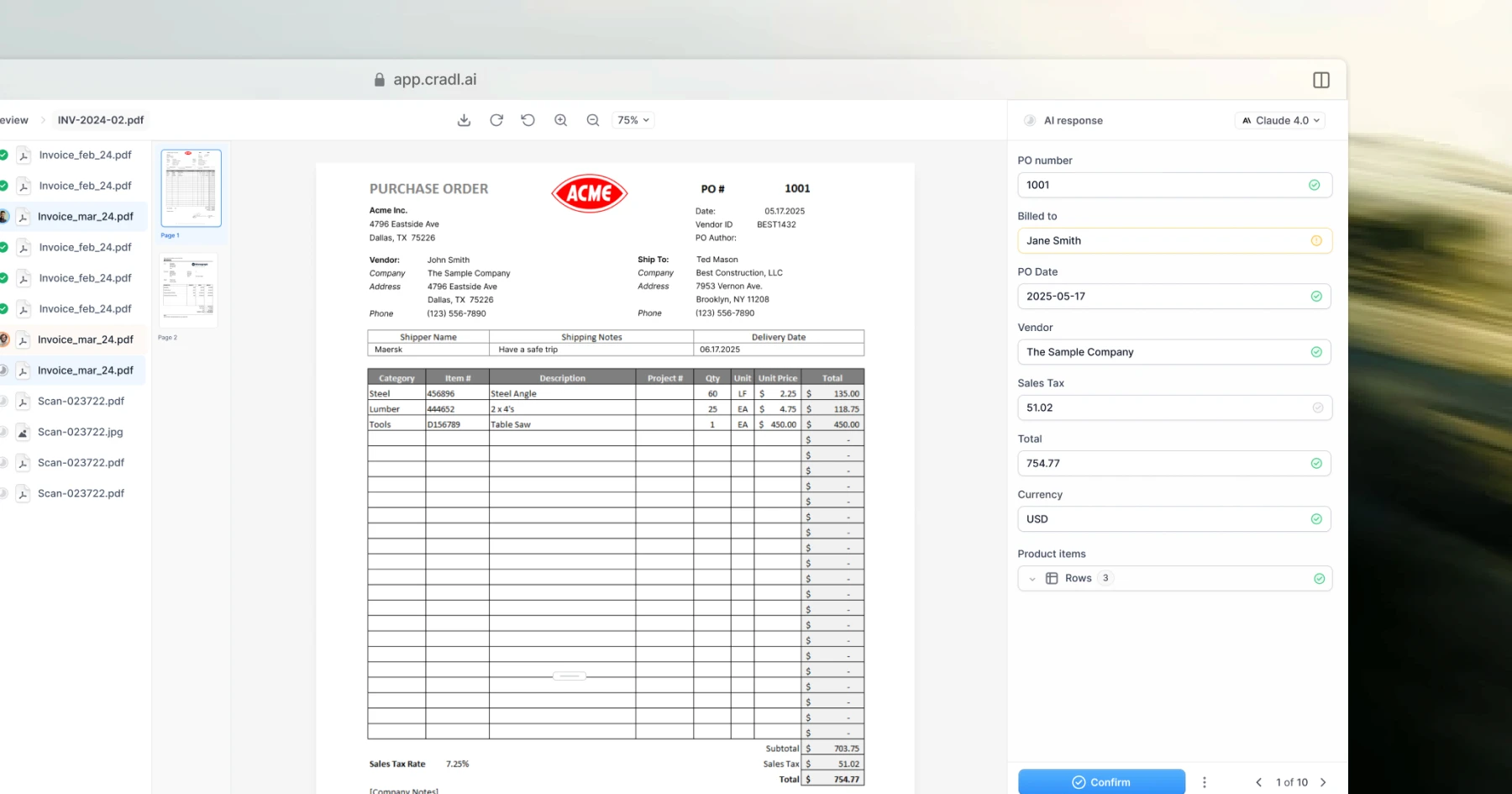
- Provide a proper review interface. Users need a simple way to validate, correct, and approve extracted data.
- Validate against master data. Cross-check suppliers, amounts, VAT, and other fields against ERP or supplier databases.
Common signs of a weak setup:
- Trying to add AI as an invisible “layer on top” of a broken process.
- Refusing to introduce the right tools because “we don’t want another system.”
2. There’s no free lunch in data extraction
If you ask a finance team what they want extracted from invoices, many will answer: “everything.” And if you ask why, they’ll often say they need every detail for analysis.
That claim is worth challenging! Are they actually using this level of detail today, or is it a future ambition? Do they need it for every invoice, or would it be sufficient to capture full detail only for electronic invoices? In practice, extracting “everything” comes at a significant cost (as explained in Using LLMs for PDF Parsing).
Let’s illustrate the math: if each field has an average accuracy of 97%, the probability that all fields on an invoice are correct drops quickly as you add more fields. With 8 fields, you can expect roughly 78% of invoices to be fully correct (0.97⁸), but with 20 fields, that drops to about 54% (0.97²⁰).
Even small per-field error rates compound across the document. That’s why being selective about what you extract has such a large impact on overall automation.
Key takeaways:
- Extract only essential information.
- Be careful with line items. They’re expensive to extract because they multiply the amount of data per document.
- For line items in particular, consider categorization instead of full extraction. In some cases, extracting the full line description isn’t necessary. Categorizing line items (e.g., cost type or account) can simplify the process significantly while still meeting business needs.
3. It’s all about confidence scores
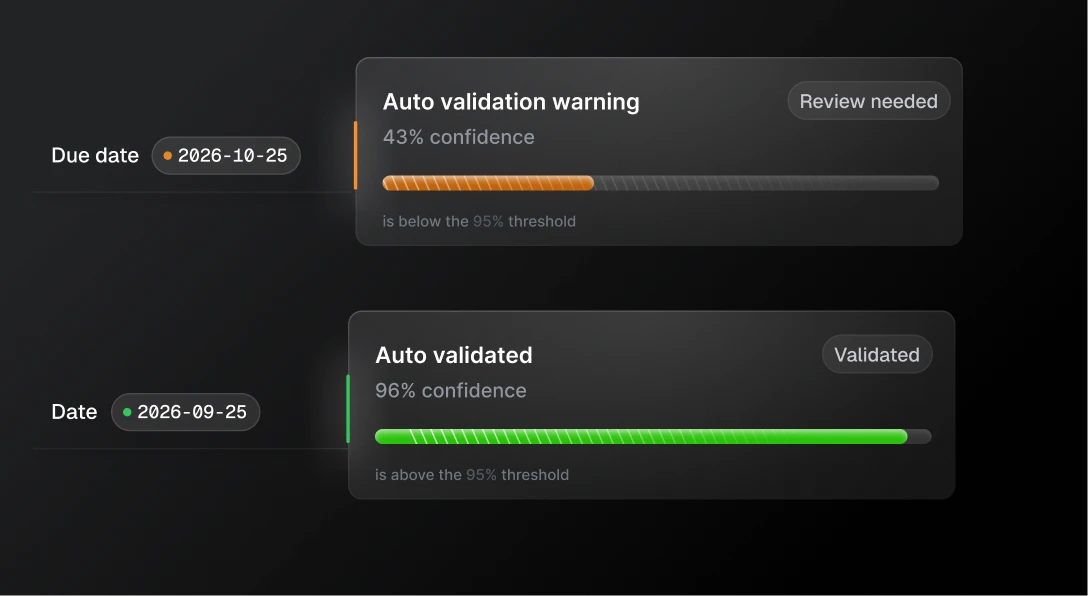
In many traditional accounts payable systems, every extracted field requires manual review. But what if you only had to review certain fields or only certain invoices? That shift alone can unlock far greater automation than simply improving raw extraction accuracy. It also helps reviewers focus on the cases that actually need attention.
AI models can support this approach. Depending on how they’re trained and configured, they can output a so-called confidence score - an estimate of how likely it is that a prediction is correct. This makes it possible to flag uncertain fields, such as misread characters or potentially incorrect values, and send only those for review.
With LLMs, this is less straightforward. However, as discussed in another blog post, there are practical techniques to detect hallucinations and identify when the model is uncertain, making selective review possible there as well.
4. Tailor your thresholds to the risks
Automation is ultimately a trade-off between automation rate and accuracy. The stricter your accuracy requirements, the more documents you’ll route to manual review, and the lower your overall automation rate. Relax the threshold, and automation increases, but so does risk.
For invoices, optimizing for automation is largely about deciding which fields truly matter. Not all fields carry the same risk, so they shouldn’t be treated equally. Errors in monetary amounts can be expensive (overpayments, underpayments, or late fees) while mistakes in fields like the invoice date typically have limited financial impact.
Treat high-risk fields with stricter validation and higher confidence thresholds, and allow more flexibility where the business impact is low. The table below illustrates how invoice fields are typically categorized in terms of risk (low / medium / high).
| Field | Risk |
|---|---|
| Invoice date | Low |
| Due date | High |
| Invoice number | Medium |
| Total amount | High |
| VAT amount | High |
| Line description | Low |
| Line amount | Medium |
5. Cross-validate whenever you can
Cross-validating against supplier and ERP data is one of the most effective ways to increase automation without increasing risk. By validating extracted fields against trusted master data, you can safely lower confidence thresholds. That means more invoices can pass automatically while still catching real errors through deterministic checks.
Examples of fields that can be cross-validated:
- Supplier information (name, organization number, address) against the supplier master database
- Bank account numbers against approved supplier accounts
- PO numbers using three-way matching (PO ↔ goods receipt ↔ invoice)
- References (project codes, cost centers) against internal systems
- Amounts, such as VAT amount vs. total amount, sum of line items vs. invoice total and net amount + VAT = gross total
Combining probabilistic AI extraction with deterministic validation rules is often the key to getting high automation rates without compromising control.
6. Don’t forget the human-in-the-loop
AI models are improving quickly, and accuracy continues to get better. Still, invoice processing demands extremely high precision. There is very little tolerance for error, which means even small signs of uncertainty should trigger manual review.
At the same time, review shouldn’t just be about correcting mistakes. It should also improve the system. Feedback from human reviewers must be captured and used to refine the underlying model over time. A well-designed review experience is critical:
- The reviewer must clearly see where each prediction was extracted from in the document.
- Attention should be directed toward the fields where the model is most uncertain.
- Corrections must be made in a consistent way to enable the model to improve over time.
For this reason, building a simple DIY validation interface in tools like PowerApps or similar platforms rarely works beyond very basic use cases. High-accuracy document processing requires a review workflow that is tightly integrated with the extraction model itself.
7. Choose a modern tech stack
Famous investor Marc Andreessen once said that “software is eating the world.” Today, you could argue that no-code is doing the same. Large monolithic systems are increasingly replaced by best-of-breed tools, while no-code automation platforms act as the glue between them.
Workflow tools like Zapier, Power Automate, and n8n make it possible to orchestrate processes without heavy development work.
My recommendation:
- Choose an automation platform. Popular options include Zapier, Power Automate, and n8n.
- Use a specialized data extraction tool for documents. A purpose-built solution like Cradl AI is designed specifically for high-accuracy document data extraction.
This combination gives you a strong balance: a solution tailored to your business processes, without accumulating unnecessary technical debt or long-term maintenance overhead.
Wrapping up
Thanks for reading!
If you have questions, or want to share your own experience with invoice automation, feel free to reach out.