


For n8n builders
PDF data extraction
in n8n
Connect your n8n workflows to Cradl AI and extract structured data from any document — accurately, every time.
FREE 14 DAY TRIAL


How it works

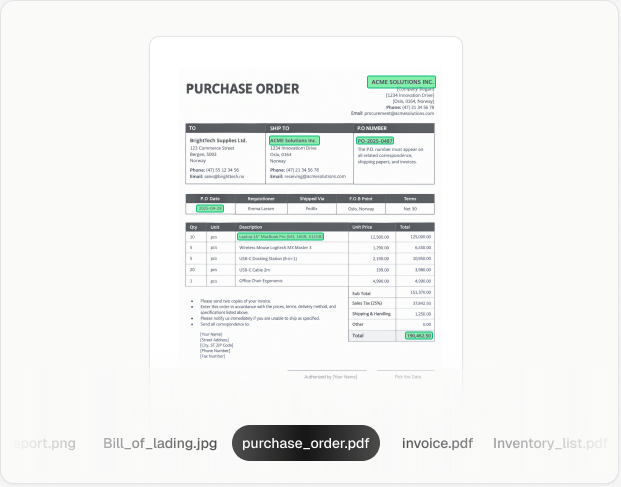
Extract
Capture the data you need from any document automatically with AI.

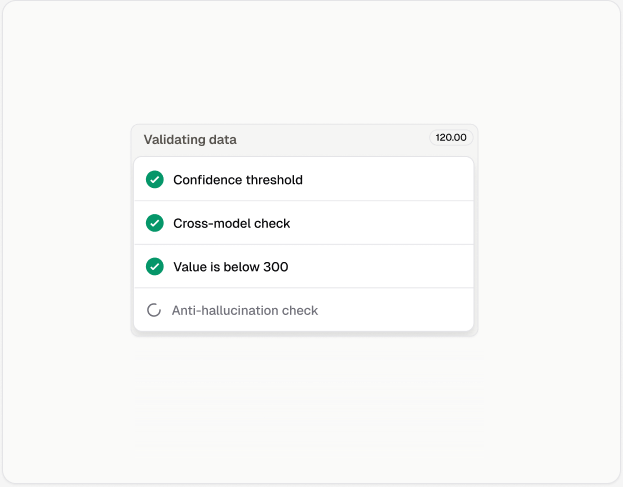
Validate
Verify extracted data with built-in guardrails and exception handling with human-in-the-loop.
Export
Send validated, structured data to your workflow in the format you need.
Features
Data extraction AI agents, built for business critical workflows
Fully customizable
Have full control over the data your agent extracts. Add validation rules and guardrails to ensure outputs you can trust.


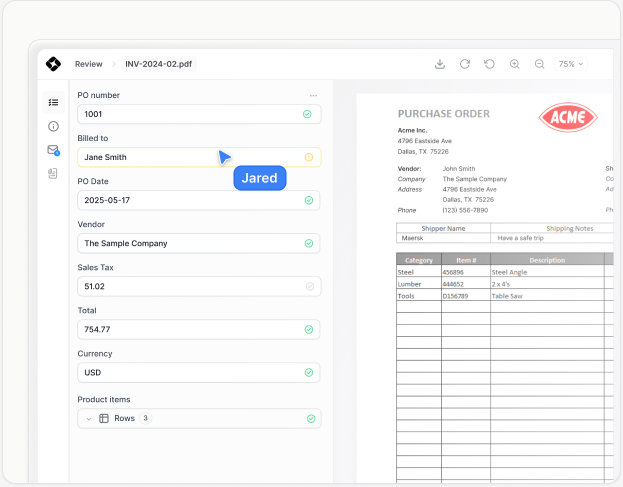
Human-in-the-loop interface
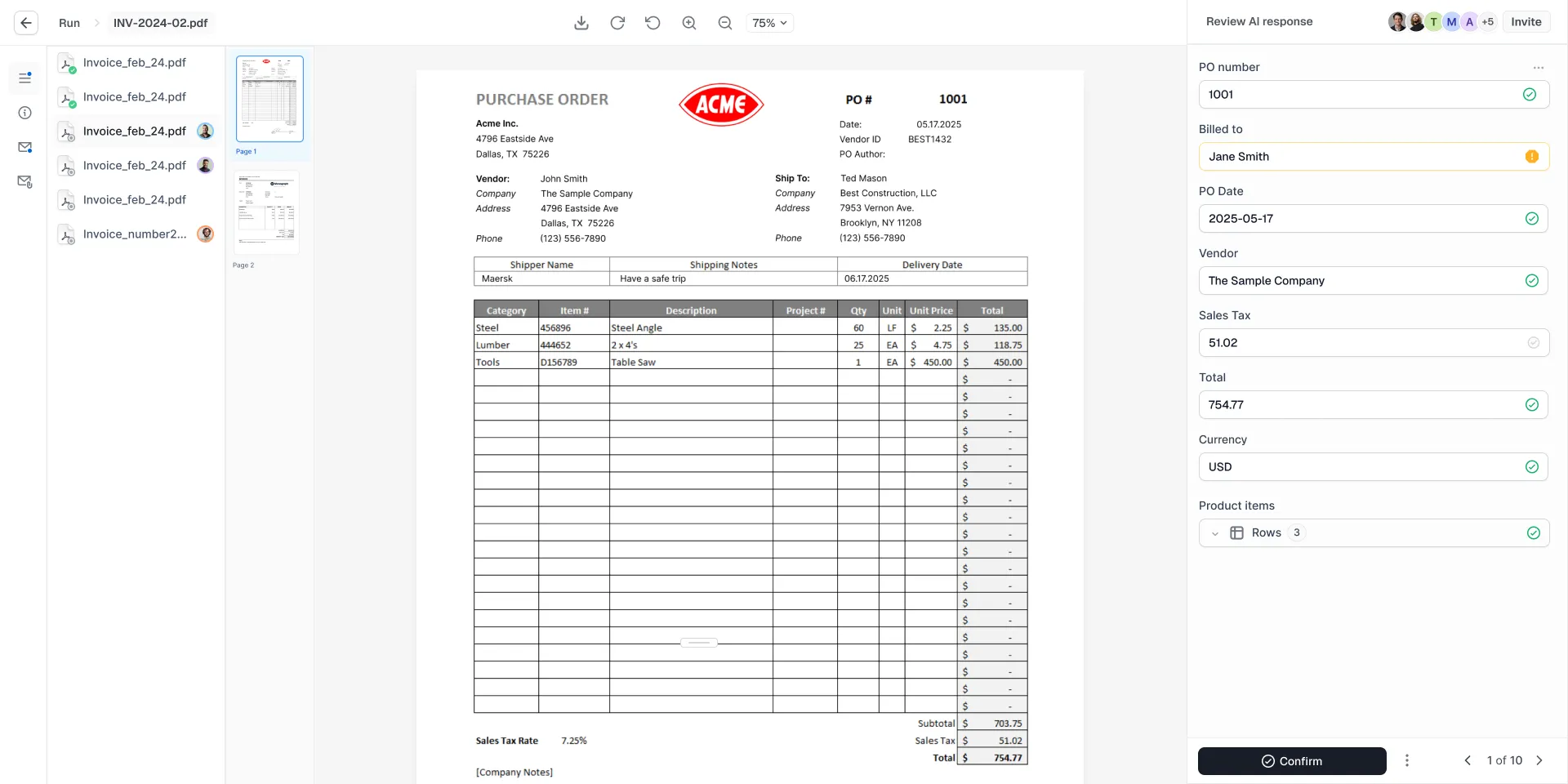
Invite your team to review, correct, and approve flagged outputs in a purpose-built interface.

State-of-the-art LLMs
Always powered by the latest and greatest models for OCR and document understanding.
Anti hallucination
Guardrails and multi-agent validation keep outputs grounded in source data.
Self-learning (RAG)
Your agent learns from every correction, improving accuracy over time.
Integrations
Connect instantly to your automation tools
Plug into your workflows in minutes with ready-made integrations and flexible APIs.
All-in-one-platform
Everything you need for production-ready document automation


Agent builder
Design your automation logic visually, without touching code.
Review
Stay in control and review edge cases in a dedicated UI.
Runs
Track every execution in real time with advanced error handling.
Insights
Monitor your agents. Spot trends, optimize, and improve.

"Cradl AI enables us to move from idea to production in less than a day, greatly reducing manual document processing while improving data quality."

Frode Skjæveland
Improvement leader, Equinor
Enterprise-ready
Enterprise-grade features built in

FAQ
What is Cradl AI?
Who is Cradl AI for?
How is Cradl AI different from traditional OCR tools?
How is Cradl AI different from other AI tools, like ChatGPT?
How does Cradl AI mitigate the risk of incorrect AI responses?
How does Cradl AI manage my data?
Do I need to know how to code to use Cradl AI?
What types of documents can Cradl AI process?
Couldn't find something? Message us
How it works

Extract
Capture the data you need from any document automatically with AI.

Validate
Verify extracted data with built-in guardrails and exception handling with human-in-the-loop.
Export
Send validated, structured data to your workflow in the format you need.
Features
Data extraction AI agents, built for business critical workflows
Fully customizable
Have full control over the data your agent extracts. Add validation rules and guardrails to ensure outputs you can trust.


Human-in-the-loop interface
Invite your team to review, correct, and approve flagged outputs in a purpose-built interface.

State-of-the-art LLMs
Always powered by the latest and greatest models for OCR and document understanding.
Anti hallucination
Guardrails and multi-agent validation keep outputs grounded in source data.
State-of-the-art LLMs
Always powered by the latest and greatest models for OCR and document understanding.
Self learning [RAG]
Your agent learns from every correction, improving accuracy over time.
State-of-the-art LLMs
Always powered by the latest and greatest models for OCR and document understanding.
Integrations
Connect instantly to your automation tools
Enhance your setup with versatile integrations that keep your solo operations seamless and synced.
All-in-one-platform
Everything you need for production-ready document automation
Configure AI agents to handle your document workflows with human-level accuracy.


Agent builder
Design your automation logic visually, without touching code.
Review
Stay in control and review edge cases in a dedicated UI.
Runs
Track every execution in real time with advanced error handling.
Insights
Monitor your agents. Spot trends, optimize, and improve.

"Cradl AI enables us to move from idea to production in less than a day, greatly reducing manual document processing while improving data quality."

Frode Skjæveland
Improvement leader, Equinor
Enterprise-ready
Enterprise-grade features built in

FAQ
What is Cradl AI?
Who is Cradl AI for?
How is Cradl AI different from traditional OCR tools?
How is Cradl AI different from other AI tools, like ChatGPT?
How does Cradl AI mitigate the risk of incorrect AI responses?
How does Cradl AI manage my data?
Do I need to know how to code to use Cradl AI?
What types of documents can Cradl AI process?
Couldn't find something? Message us
How it works

Extract
Capture the data you need from any document automatically with AI.

Validate
Verify extracted data with built-in guardrails and exception handling with human-in-the-loop.
Export
Send validated, structured data to your workflow in the format you need.
Features
Data extraction AI agents, built for business critical workflows
Fully customizable
Have full control over the data your agent extracts. Add validation rules and guardrails to ensure outputs you can trust.


Human-in-the-loop interface
Invite your team to review, correct, and approve flagged outputs in a purpose-built interface.

State-of-the-art LLMs
Always powered by the latest and greatest models for OCR and document understanding.
Anti hallucination
Guardrails and multi-agent validation keep outputs grounded in source data.
Self-learning (RAG)
Your agent learns from every correction, improving accuracy over time.
Integrations
Connect instantly to your automation tools
Enhance your setup with versatile integrations that keep your solo operations seamless and synced.
All-in-one-platform
Everything you need for production-ready document automation
Configure AI agents to handle your document workflows with human-level accuracy.


Agent builder
Design your automation logic visually, without touching code.
Review
Stay in control and review edge cases in a dedicated UI.
Runs
Track every execution in real time with advanced error handling.
Insights
Monitor your agents. Spot trends, optimize, and improve.

"Cradl AI enables us to move from idea to production in less than a day, greatly reducing manual document processing while improving data quality."

Frode Skjæveland
Improvement leader, Equinor
Enterprise-ready
Enterprise-grade features built in
FAQ
What is Cradl AI?
Who is Cradl AI for?
How is Cradl AI different from traditional OCR tools?
How is Cradl AI different from other AI tools, like ChatGPT?
How does Cradl AI mitigate the risk of incorrect AI responses?
How does Cradl AI manage my data?
Do I need to know how to code to use Cradl AI?
What types of documents can Cradl AI process?
Couldn't find something? Message us